Build Falcon Fusion Workflows with Claude Code
Security teams automating detection response in Falcon Fusion, the workflow engine of Charlotte Agentic SOAR, want to version-control their workflows, generate them programmatically, and validate them before they hit a production CID. The console editor handles visual construction nicely. Programmatic generation and pre-deploy validation need different tooling.
Complex workflows can import successfully and still do the wrong thing at runtime: the wrong action wired to the wrong branch, a condition that evaluates differently than intended, a loop that misses an indicator type. The API validates structure and syntax at import, but can’t catch logic errors. For security automation, silent failure is the worst kind.
The Falcon Fusion skills plugin closes that gap. It knows the domain well enough to assemble correct workflows from a plain-language description, and its validator catches errors the import API may not.
Table of Contents:
- Falcon Fusion Skills Plugin Architecture
- How Skill Routing Works
- Install the Falcon Fusion Skills Plugin
- Build a Falcon Fusion Workflow from a Single Prompt
- How the Falcon Fusion Workflow Validator Works
- Falcon Fusion Workflow Patterns and Use Cases
- Contribute to the Falcon Fusion Skills
- Falcon Fusion Skills vs. Falcon Foundry Skills
- Start Building
Prerequisites:
- A CrowdStrike Falcon tenant with Falcon Next-Gen SIEM
- An API client with the Workflow scope (read/write). The lookup-files skill additionally needs NGSIEM Lookup Files (read/write).
- Claude Code
- VirusTotal API key to execute the demo workflow
Falcon Fusion Skills Plugin Architecture
The plugin follows a hub-and-spoke pattern. A single orchestrator skill (workflows) parses your intent and delegates each phase to a focused sub-skill. It never writes YAML or calls APIs itself. The sub-skills share API authentication and hand off results between phases.
| Skill | Role |
workflows |
Orchestrator. Routes to sub-skills based on user intent. |
authoring |
Discovers actions from the live catalog, writes workflow YAML, validates it. |
deployment |
Imports workflows to a CID, releases them, manages versions. |
execution |
Triggers workflows, monitors runs, debugs failures. |
lookup-files |
Manages Falcon Next-Gen SIEM lookup files (create, append, overwrite). |
setup |
Interactive credential configuration. |
Action IDs are real 32-character hex values pulled from your tenant’s live action catalog via action_search.py. The authoring skill never uses placeholder IDs. If an action doesn’t exist in the catalog, it doesn’t end up in the workflow.
How Skill Routing Works
The lifecycle is sequential: authoring produces a validated YAML file, deployment imports it and returns a definition_id, execution triggers it and returns an execution_id. Each phase depends on the previous one’s output.
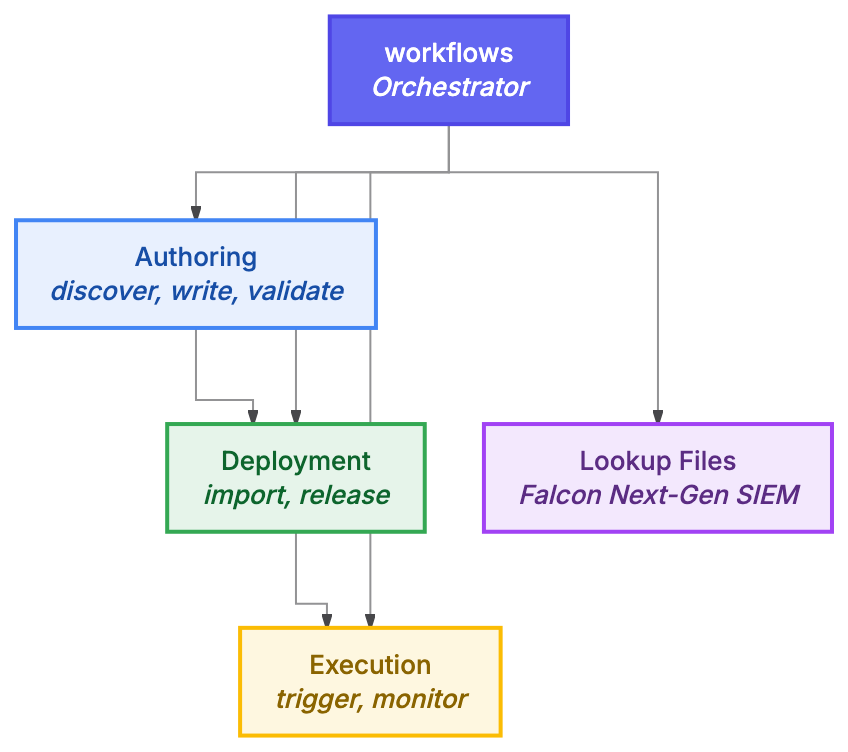
You never name a skill directly. Three hooks handle routing automatically. A UserPromptSubmit hook matches Fusion-related phrases in your prompt (“fusion workflow”, “build a playbook”, “deploy to CID”) and steers the assistant toward the orchestrator. A PreToolUse hook keeps that advisory active until the skill is invoked. A third hook on the Skill tool detects when someone asks for a Falcon Foundry app instead of a standalone workflow and advises them toward the foundry-skills plugin.
Install the Falcon Fusion Skills Plugin
/plugin install crowdstrike-falcon-fusion
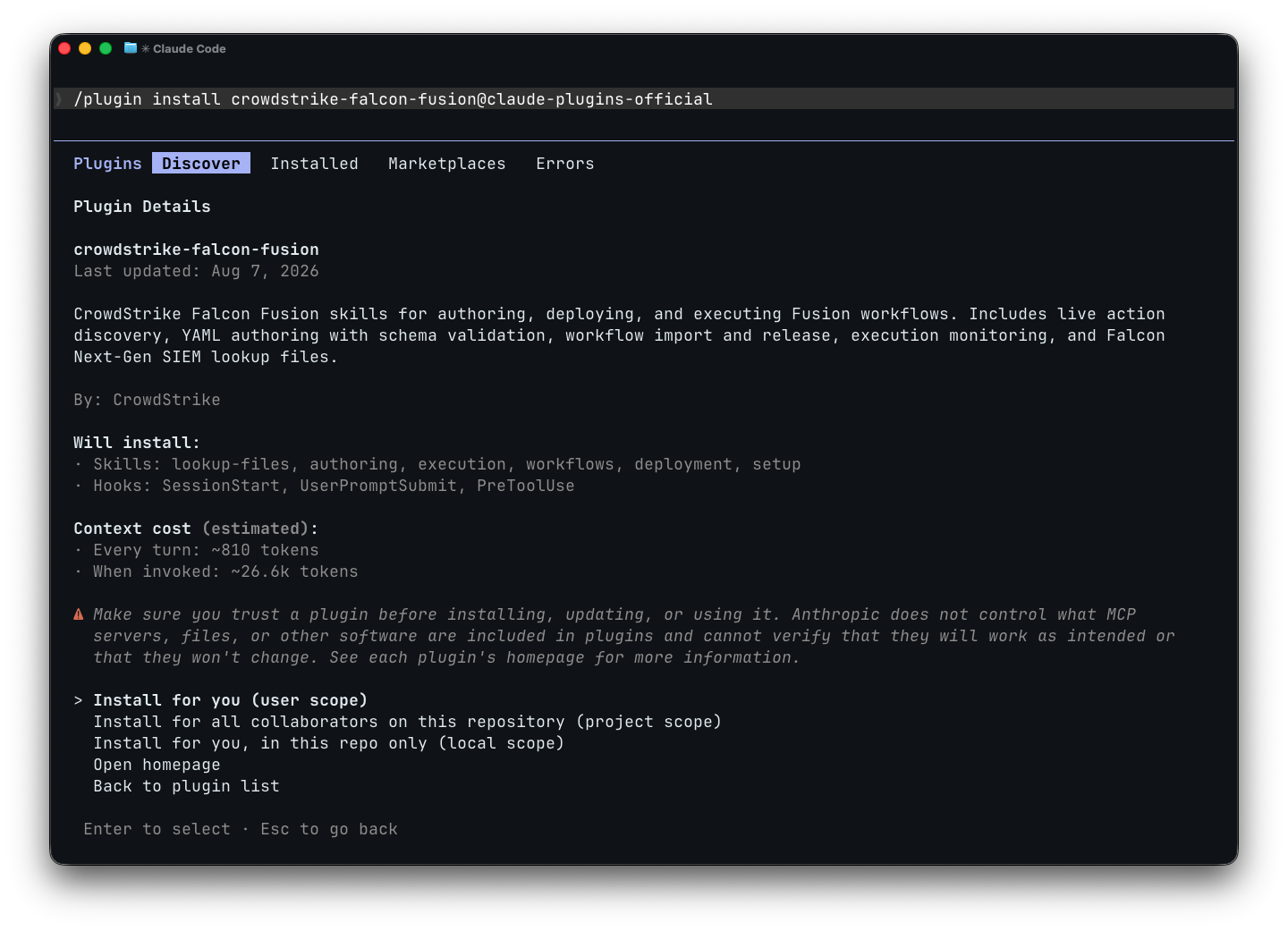
If the marketplace listing hasn’t propagated yet, register the repository first:
/plugin marketplace add CrowdStrike/fusion-skills
/plugin install crowdstrike-falcon-fusion
After installation, run /crowdstrike-falcon-fusion:setup to configure your CrowdStrike API credentials. The setup skill walks you through selecting your cloud region and storing your client ID and secret.
Build a Falcon Fusion Workflow from a Single Prompt

Describe what you want in plain language:
Generate a Falcon Fusion workflow that will trigger from a Falcon Next-Gen SIEM detection. The workflow should hydrate the detection using an event query to get the full details of the detection. If a user, host, domain, url, file indicator, or ip indicator is found, enrich each in parallel using HTTP calls to VirusTotal or DomainTools. Summarize the enrichment across all the threat intelligence providers using an LLM completion action and then send an email formatted in HTML.
The orchestrator recognizes this as the ngsiem-detection-response use case, gathers reference context from the plugin’s pattern library, and hands off to the authoring skill. From there, it’s three phases: author, validate, deploy.

Authoring. The skill searches the live action catalog in parallel to find real IDs for every action the workflow needs: Event Query, HTTP Request (for VirusTotal and DomainTools), LLM Completion, Send Email. Each search calls action_search.py against your tenant’s API. Once it has IDs, it writes the complete workflow YAML: trigger configuration, conditional branches for each indicator type, parallel enrichment loops, and the summarization-to-email chain.
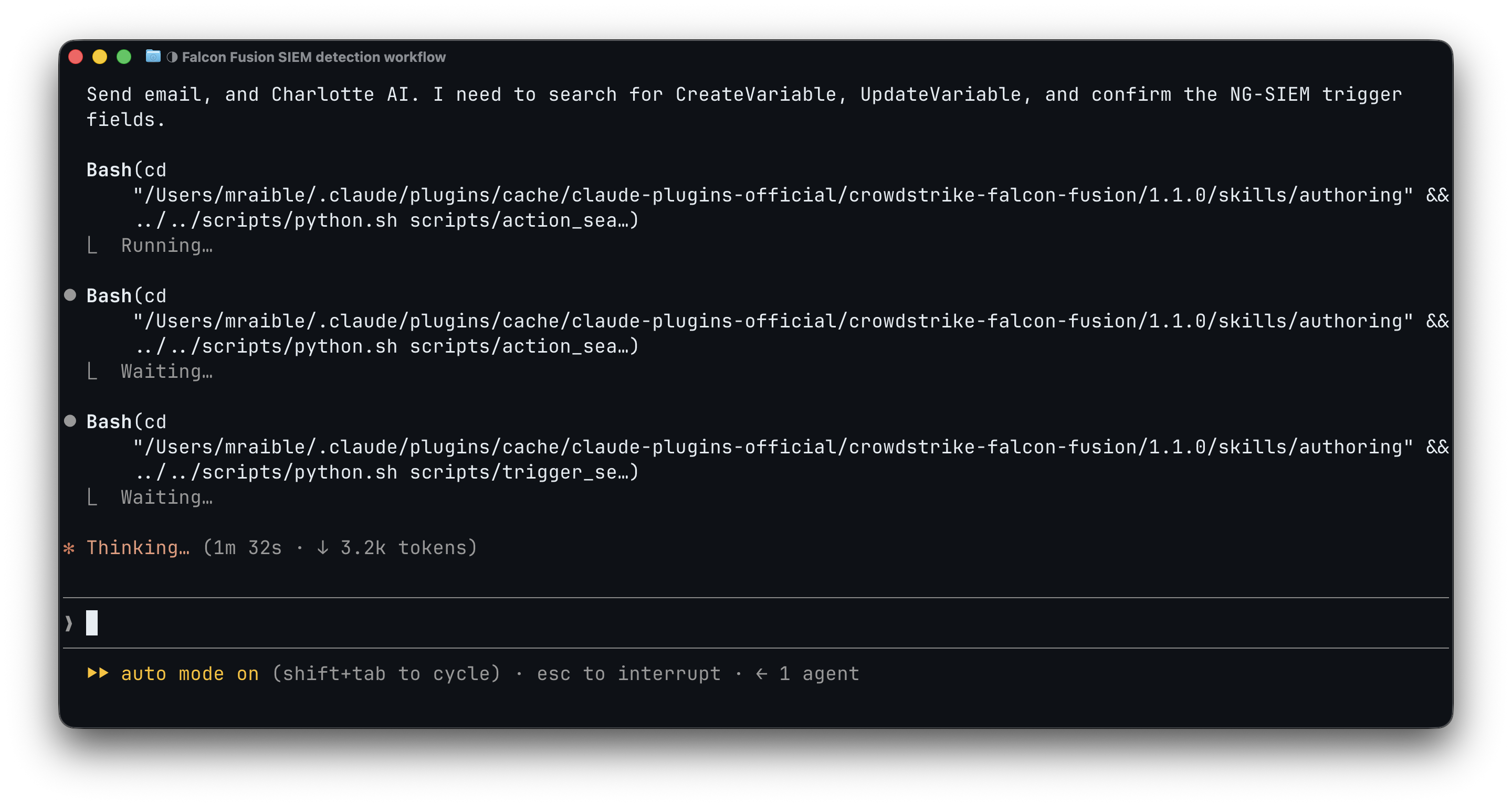
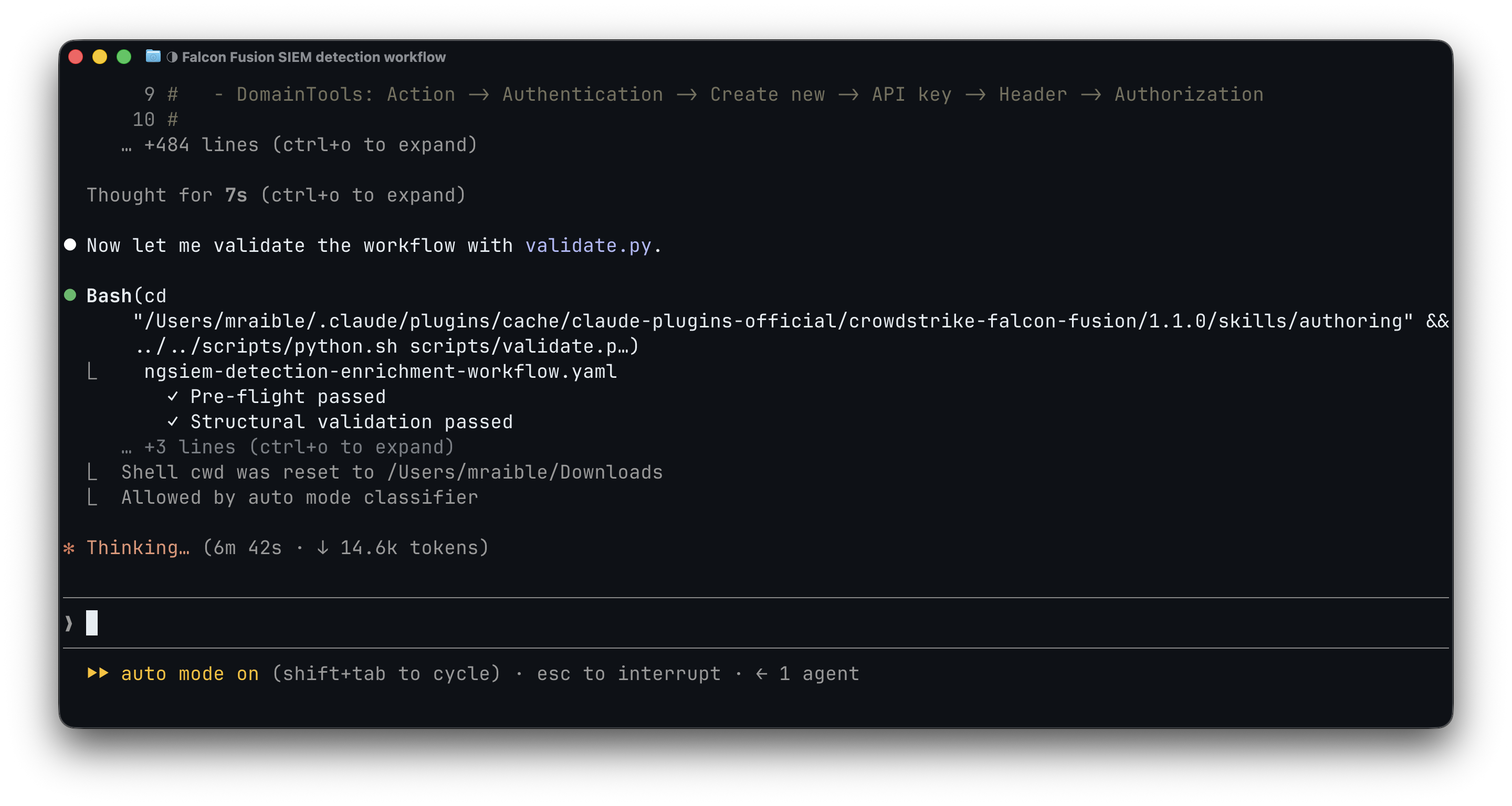
Validation. Before anything touches your CID, the skill validates the workflow locally. It checks structure against the Charlotte JSON schema, verifies action IDs aren’t placeholders, confirms required properties per action class, and validates that the graph is fully connected with no orphaned nodes. If validation finds errors, the skill fixes them and re-validates until the workflow passes clean.
Deployment. The skill asks whether to deploy. Say yes, and it checks for existing workflows with the same name (to avoid duplicates), imports the YAML to your CID, and releases it. You get back a definition_id confirming it’s live. If the release API rejects anything the local validator missed, the skill diagnoses the error, patches the YAML, and re-imports automatically.
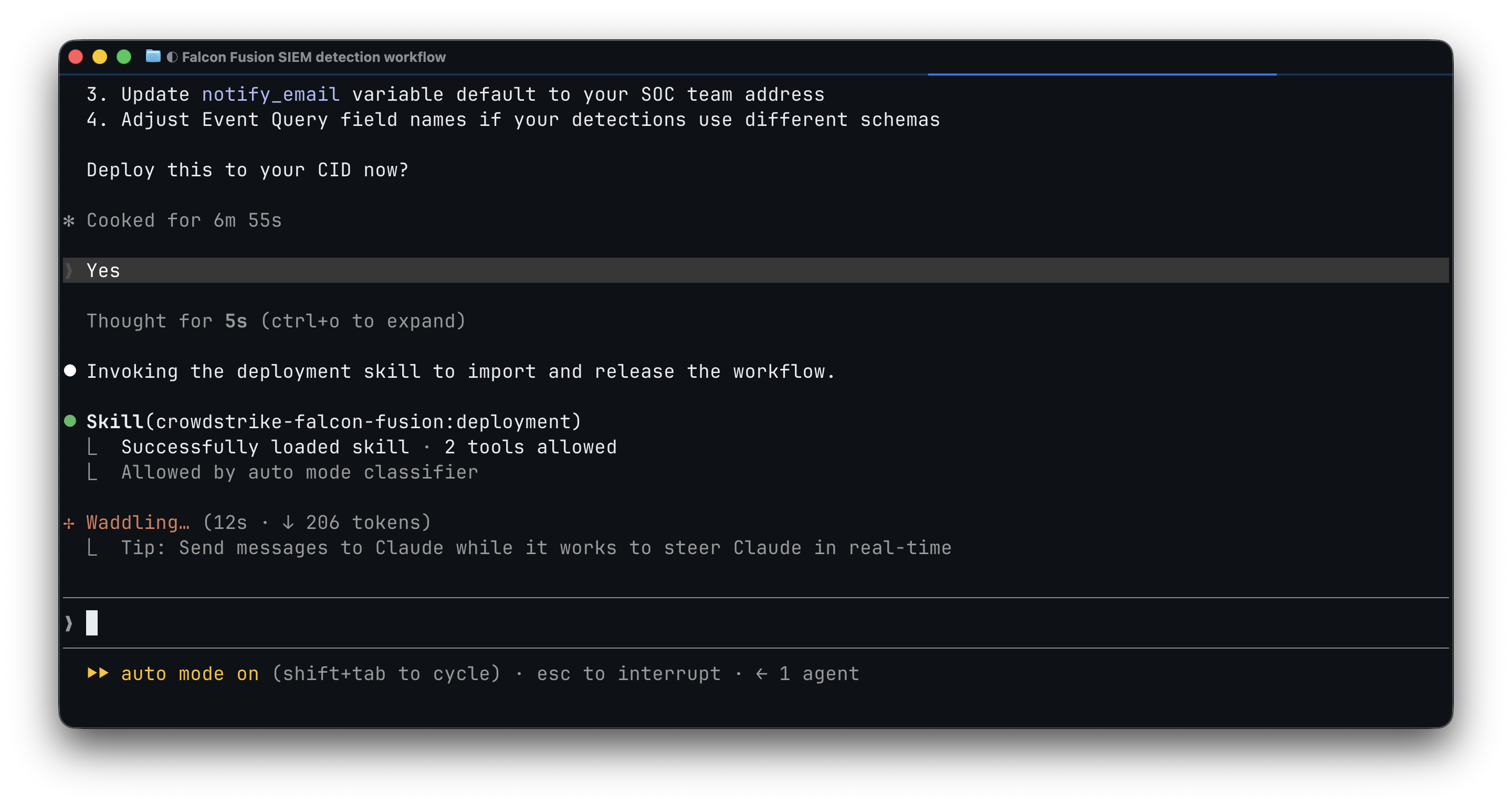
The result is a published workflow visible in the Falcon console, ready for credential configuration and testing.
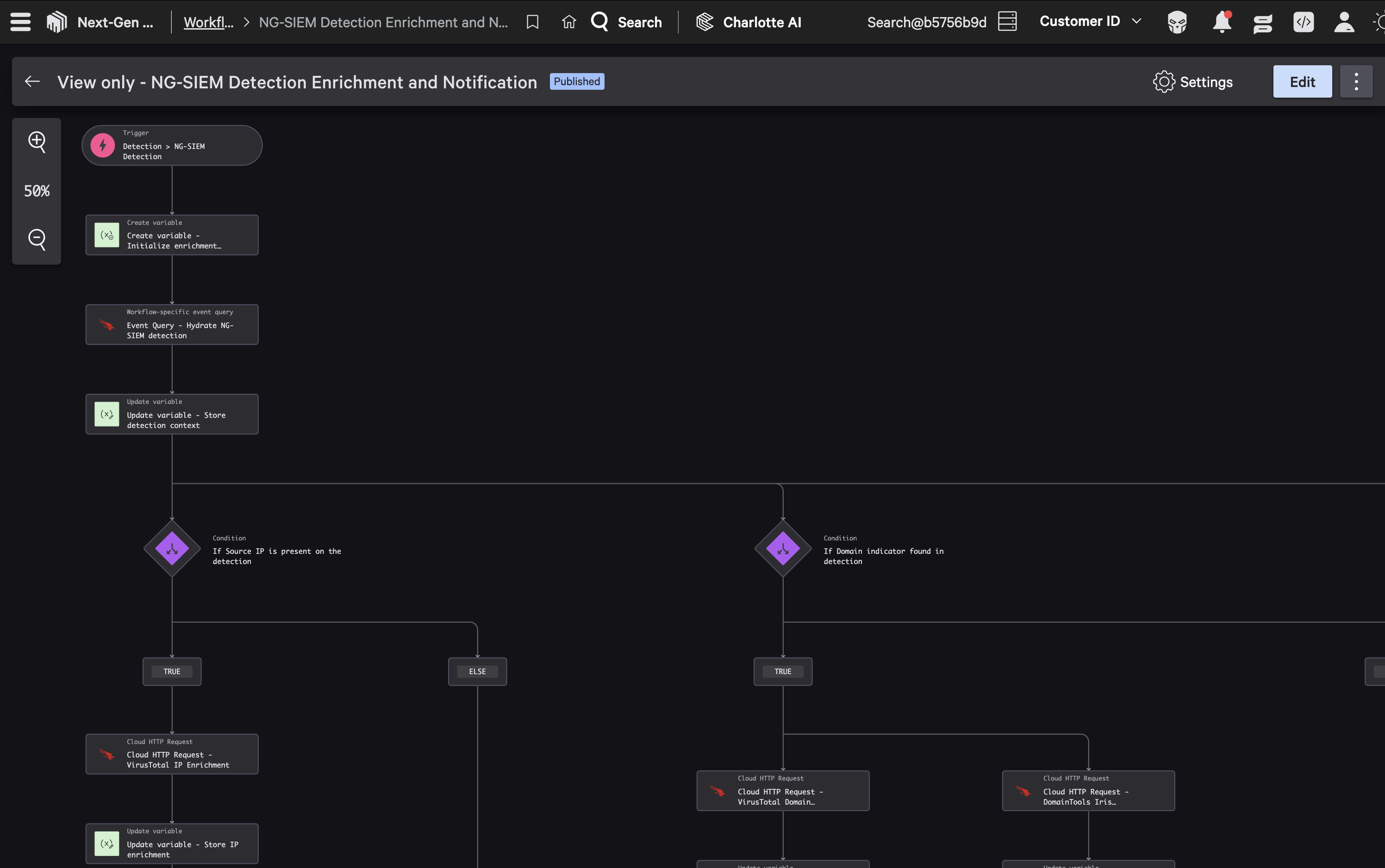
The full cycle from prompt to published workflow takes about eight minutes.
The same tools help with troubleshooting. A support engineer hit a case where two HTTP Request actions appeared to share the same action ID, and mapped output fields were returning null. Running action_search.py --details <id> immediately showed that the ID is the catalog type identifier (every CrowdStrike HTTP Request action shares it), not a per-instance value. The real issue was the output schema configuration, not a duplicate ID. That lookup took seconds.
How the Falcon Fusion Workflow Validator Works
The validator runs in two modes. Local validation (--preflight-only) needs no API credentials and catches structural and semantic errors before you even connect to a CID. Full validation adds an API round-trip that confirms action IDs exist in the live catalog. You never invoke the validator manually. The authoring skill runs it automatically after writing YAML and resolves every error before handing you the result.
The validator doesn’t just check syntax. It knows enough about Falcon Fusion’s domain to catch logic errors that would otherwise only surface at runtime. Consider this scenario: a workflow needs to fetch all high-severity alerts from the last 24 hours. A reasonable-looking approach is to use an Event Query. The validator flags it:
ERROR: Event Query action 'FetchAlerts' fetches an alert/detection population
by severity from an NG-SIEM repo. That data is a Falcon platform object whose
NG-SIEM contents are connector-dependent and can silently return nothing. Use
a CrowdStrike HTTP Request (Inline.HTTPRequest) to /alerts/queries/alerts/v2.
The Event Query searches the Falcon Next-Gen SIEM event store, which depends on what ingestion connectors the tenant has configured. A tenant with no connectors returns zero results for an alert population query, silently. The right tool is a CrowdStrike HTTP Request to the Falcon platform API, which hits the source of truth regardless of connector state. That’s exactly the kind of logic error that imports fine but fails at runtime in ways that are hard to diagnose.
Falcon Fusion Workflow Patterns and Use Cases
The plugin ships with pattern-matchable use cases in its use-cases/ directory. When you describe a scenario, the orchestrator scans these patterns to find a match before delegating. Here are the ones most relevant to Falcon Next-Gen SIEM:
| Pattern | Scenario |
| ngsiem-detection-response | Filter, hydrate, extract, gate, summarize with Charlotte AI, and email |
| detection-enrichment | Enrich indicators with VirusTotal, then tag the case or blocklist |
| detection-deduplication | Find and close duplicate detections with an Event Query dedup |
| event-queries | Run a schemaless CQL/FQL query against the event store |
| human-in-the-loop-containment | Gate device containment behind analyst approval |
| identity-detection-response | Respond to Identity Protection detections |
| charlotte-agent-invocation | Invoke a Charlotte AI agent when a detection fires |
| http-actions | Call an external REST API inline |
| lookup-file-management | Create/overwrite/append a lookup file from a workflow |
| notifications | Send workflow notifications to Slack or other channels |
The full directory includes additional patterns for API pagination, case management, custom SOAR actions, CSV export, and lookup enrichment.
Contribute to the Falcon Fusion Skills
The skills improve through use. When the assistant struggles with a particular workflow pattern, that’s a signal that the reference documentation or validation logic has a gap. Use the skills, notice where the output is wrong or incomplete, ask the assistant to fix the underlying skill, and open a PR.
The repository includes testing tools to validate changes before submitting. test-skill.sh runs the canonical prompt end-to-end multiple times and collects structured results. verify-workflows.sh validates all bundled example workflows against the current validator. Both guard against regressions.
Falcon Fusion Skills vs. Falcon Foundry Skills
You can use Claude Code to build full Foundry apps, and now standalone Fusion workflows too. The Falcon Fusion skills plugin (CrowdStrike/fusion-skills on GitHub) covers the workflow side: trigger on a detection, enrich, respond, done. The Falcon Foundry skills plugin (CrowdStrike/foundry-skills on GitHub) covers apps with a UI, serverless functions, collections, and a manifest.yml. Both are on the Anthropic Plugin Marketplace. They know about each other through a bridge hook: ask for an app while the Falcon Fusion plugin is loaded and it steers you toward Foundry. Start talking about workflows inside a Falcon Foundry project and the Falcon Foundry plugin returns the favor.
Start Building
Falcon Fusion skills are open source and improve with community use. Security teams using the Falcon Foundry skills plugin have shipped apps in a fraction of the time it used to take, and we’re seeing workflow authors and threat hunters get the same results here. The validator catches mistakes before they reach production, and the whole thing runs locally with no external dependencies beyond your CrowdStrike API credentials.
Install the plugin from the Anthropic Plugin Marketplace, browse the source on GitHub, and join the Falcon Fusion SOAR Developer Community to share what you build. The skills also work with Codex, Copilot CLI, Cursor, and Antigravity CLI, so you’re not locked into a single tool.
Hat tip to Paul Price’s security-skills, the community plugin that started this work.
What workflows are you automating with Falcon Fusion? We’d love to hear what you’re building.