Build Falcon Foundry Apps with Claude Code

Building a Falcon Foundry app touches many moving parts: scaffolding with the Foundry CLI, OpenAPI specs for API integrations, workflow definitions in YAML, serverless functions in Go or Python, React UI pages with the Falcon Shoelace design system, and collection schemas for structured data. Each component has platform-specific patterns that are difficult to learn from documentation alone. Getting one wrong often means hours debugging errors or failed deployments.
CrowdStrike’s Falcon Foundry skills plugin for Claude Code teaches your AI coding assistant these patterns. Describe what you want to build, and Claude scaffolds the app, picks the right skill for each component, validates the manifest, and deploys to the Falcon console. The plugin is open source on GitHub and available on the Anthropic plugin marketplace.
Prerequisites:
- A CrowdStrike Falcon tenant with Falcon Foundry access
- Claude Code (Anthropic’s agentic coding tool)
- The Foundry CLI
Falcon Foundry Skills Architecture
Ten skills cover the full Falcon Foundry development cycle. The development-workflow skill is the orchestrator: it parses your prompt, runs Foundry CLI commands for scaffolding, and invokes specialized skills for API imports, workflow YAML, UI components, and functions.
Six capability skills cover the building blocks of a Falcon Foundry app:
| Skill | Purpose |
api-integrations |
OpenAPI spec import, auth configuration, SOAR sharing |
collections-development |
JSON Schema data modeling and CRUD operations |
functions-development |
Go/Python serverless functions |
functions-falcon-api |
Calling Falcon APIs from functions (OAuth, gofalcon, FalconPy) |
ui-development |
React UI pages and extensions with Shoelace components |
workflows-development |
YAML workflow creation, Falcon Fusion SOAR actions and triggers |
A dedicated e2e-testing skill helps you add end-to-end tests for your Foundry apps using the @crowdstrike/foundry-playwright library. It guides you through building page objects, configuring app settings for test scenarios, and setting up CI workflows with GitHub Actions.
Two cross-cutting skills handle concerns that span all capabilities: security-patterns for OAuth scope hardening and input validation, and debugging-workflows for systematic troubleshooting of CLI, manifest, and deployment errors.
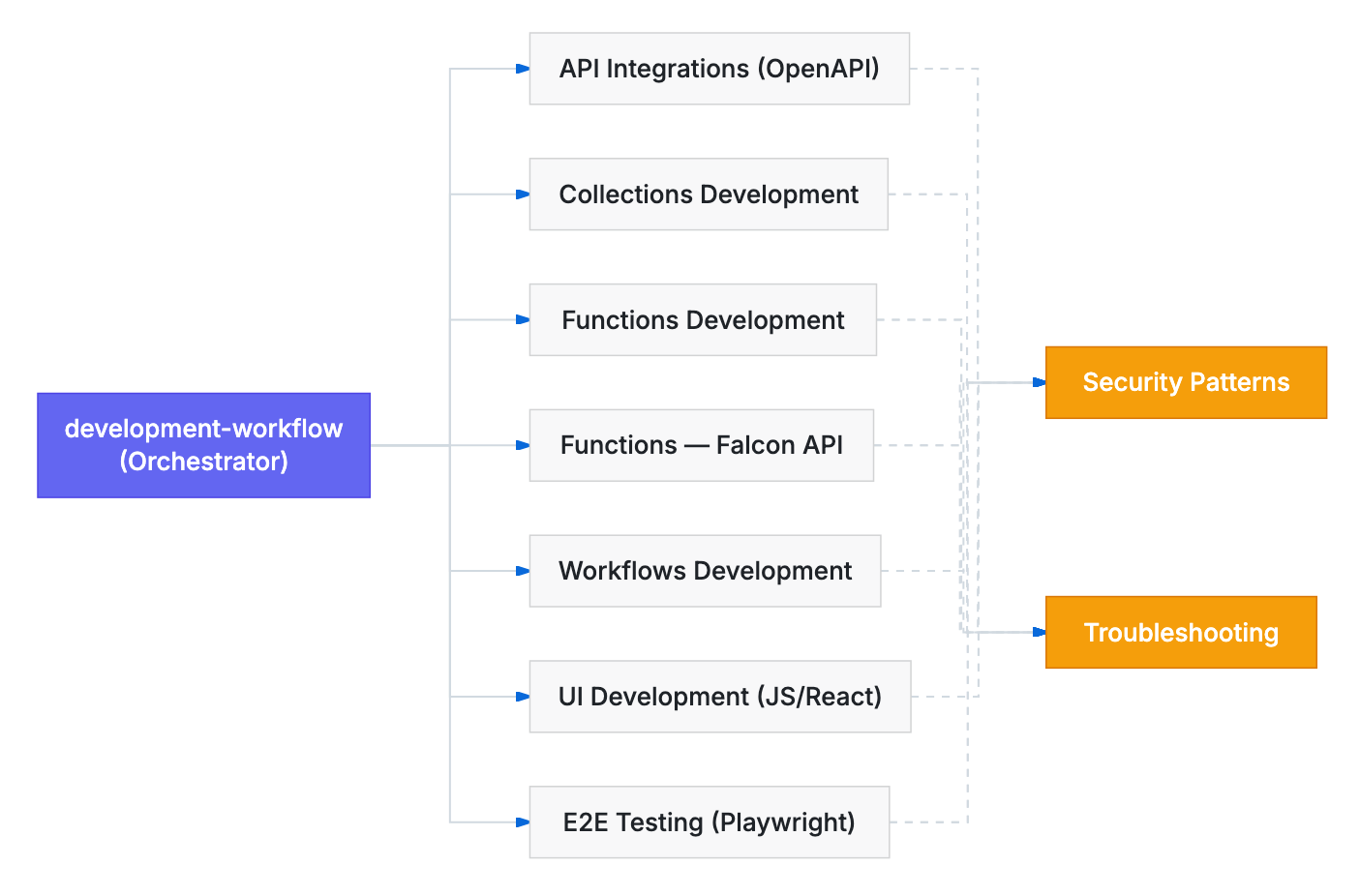
Hooks make the routing automatic. A skill router detects Falcon Foundry intent in your prompt and loads the right skill before Claude starts working. A CLI guard validates every Bash command to prevent common failures like missing --no-prompt flags or manually creating directories that bypass the manifest. An OpenAPI adaptation script automatically fixes vendor specs (stripping unsupported auth types, fixing server URL patterns) before import.
Install the Falcon Foundry Plugin
The plugin requires the Foundry CLI and a CrowdStrike account with Falcon Foundry access. Install the Foundry CLI with Homebrew:
brew tap crowdstrike/foundry-cli
brew install crowdstrike/foundry-cli/foundry
foundry login
Then install the plugin from the Anthropic marketplace inside Claude Code:
/plugin install crowdstrike-falcon-foundry
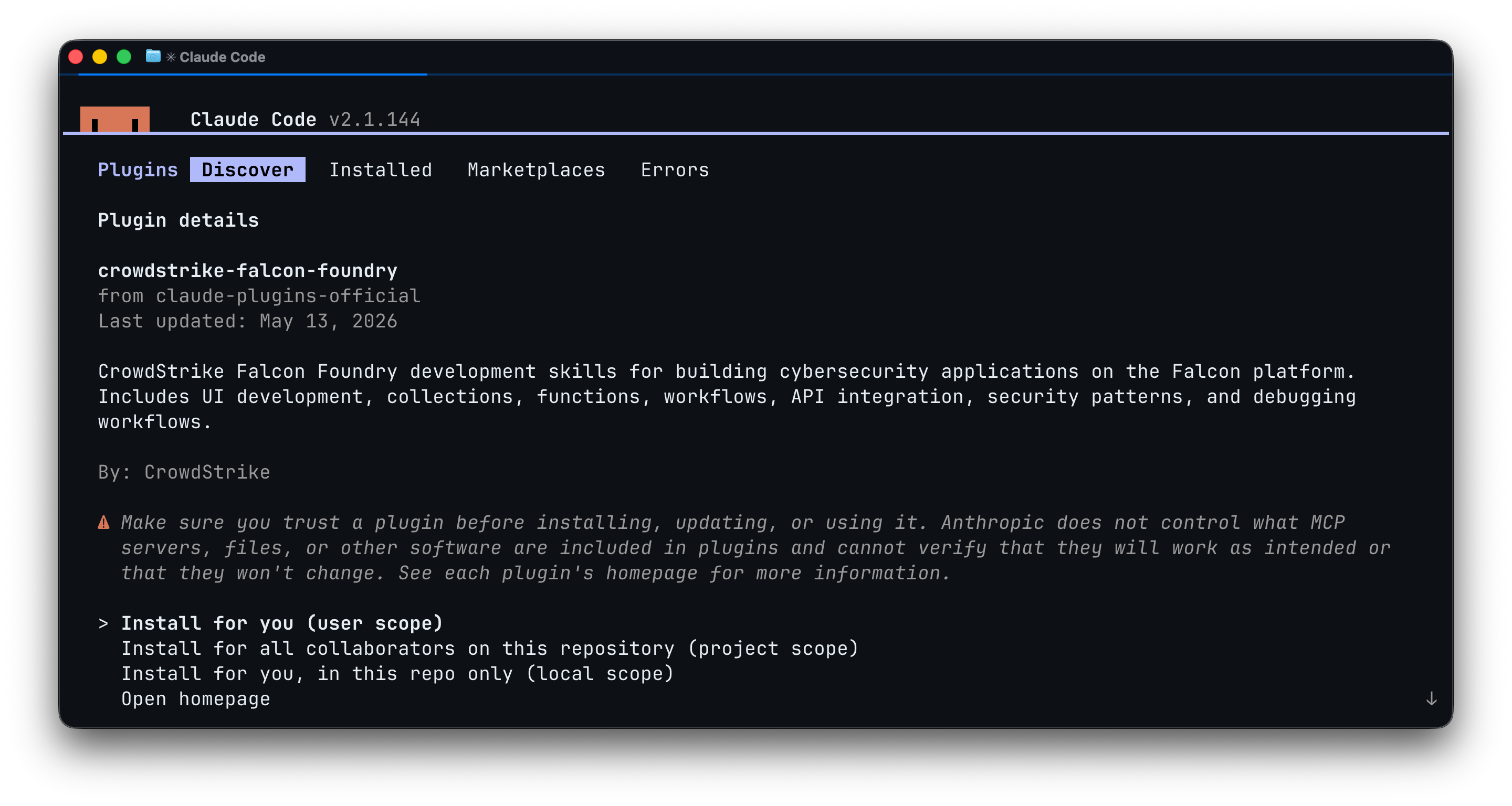
Installing the Falcon Foundry skills plugin from the Anthropic marketplace in Claude Code.
Because the skills are plain Markdown, they also work with other AI coding tools. The GitHub repo’s README shows how to install the skills in Codex, Copilot CLI, Cursor, and Gemini CLI.
Build a Falcon Foundry App from a Single Prompt
This prompt exercises the full skill set, spanning API integration, workflow automation, and UI:
Create a Falcon Foundry app with an Okta API integration. Share its listUsers endpoint with Falcon Fusion SOAR. Create a workflow to list users on demand, and a UI extension that displays the results.
Watch the full build from prompt to working app:
Claude breaks this into three capabilities and works through them one at a time. It scaffolds the app with the Foundry CLI, fetches the Okta OpenAPI spec and auto-adapts it for Foundry compatibility, then imports it as an API integration. A quick foundry apps validate confirms the spec is clean.
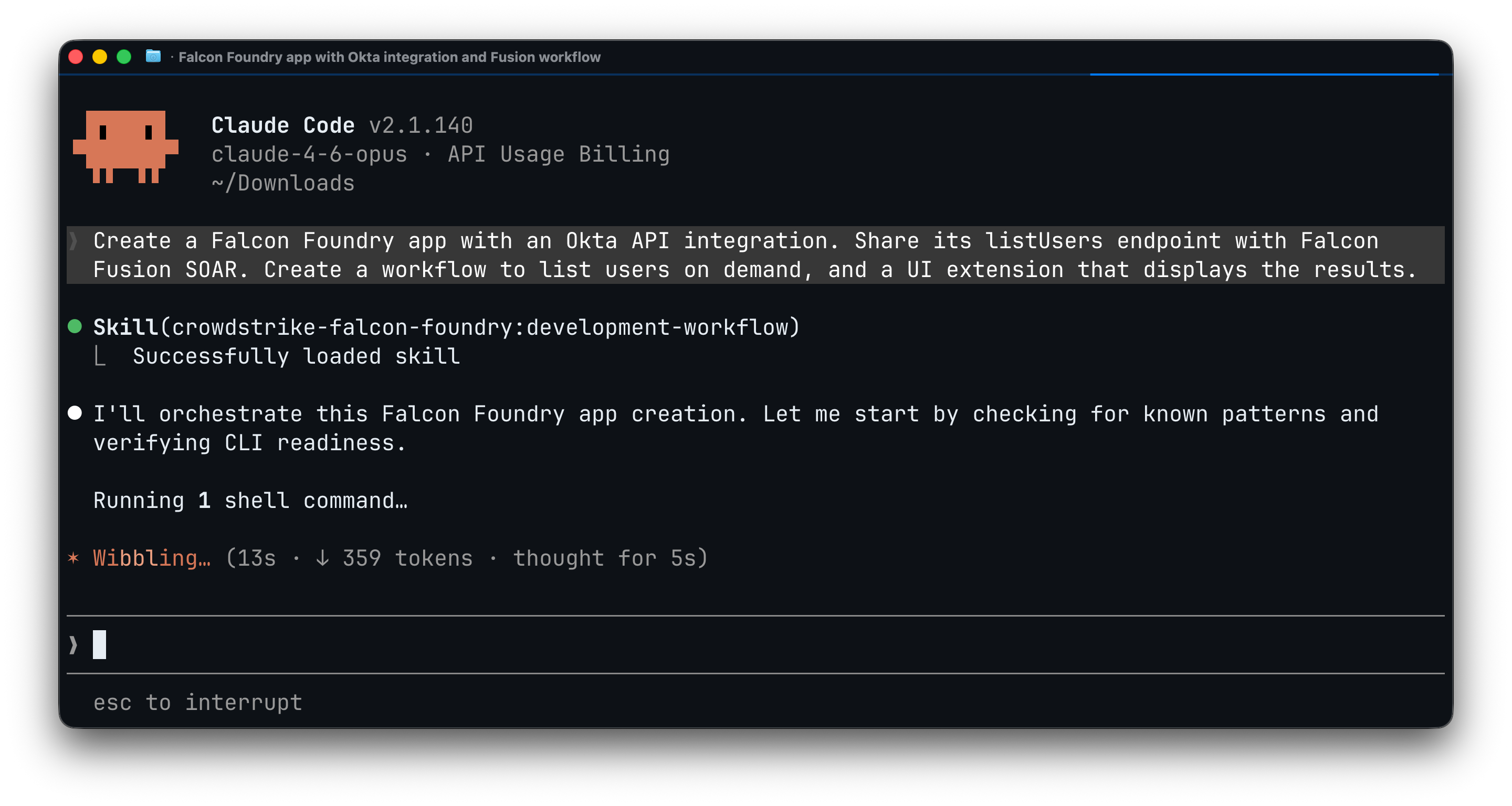
Claude Code using Foundry skills to scaffold the app, showing the skill router loading the development-workflow skill.
From there, Claude shares the listUsers operation with Falcon Fusion SOAR so workflows can call it, creates a workflow with an on-demand trigger and condition routing, and builds a React UI extension using Shoelace components that calls the listUsers endpoint and renders the results in a data table.
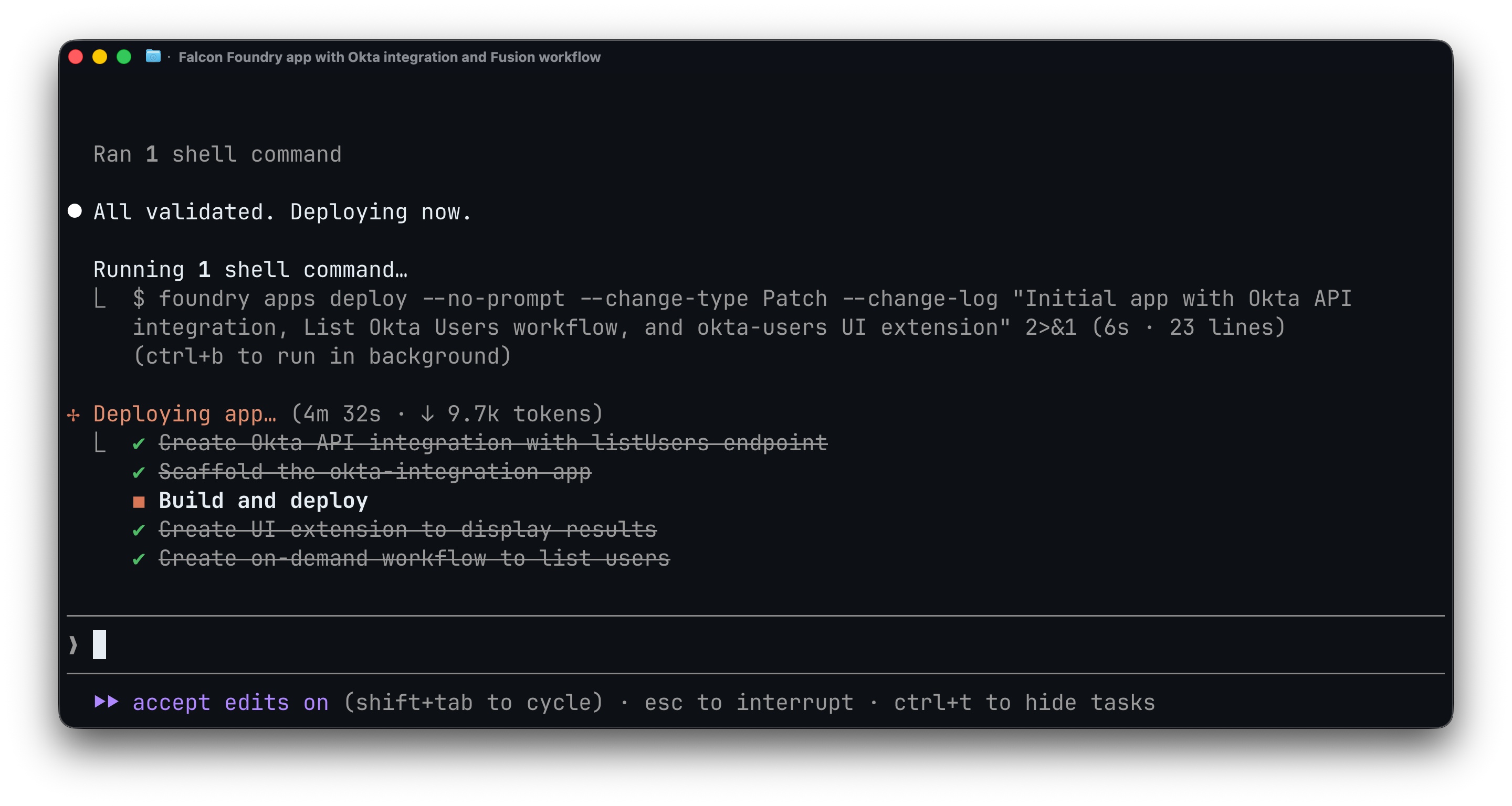
Claude validates the app and deploys it to the Falcon console.
After deployment, the app is ready to install in the Falcon console, under Foundry > App catalog.
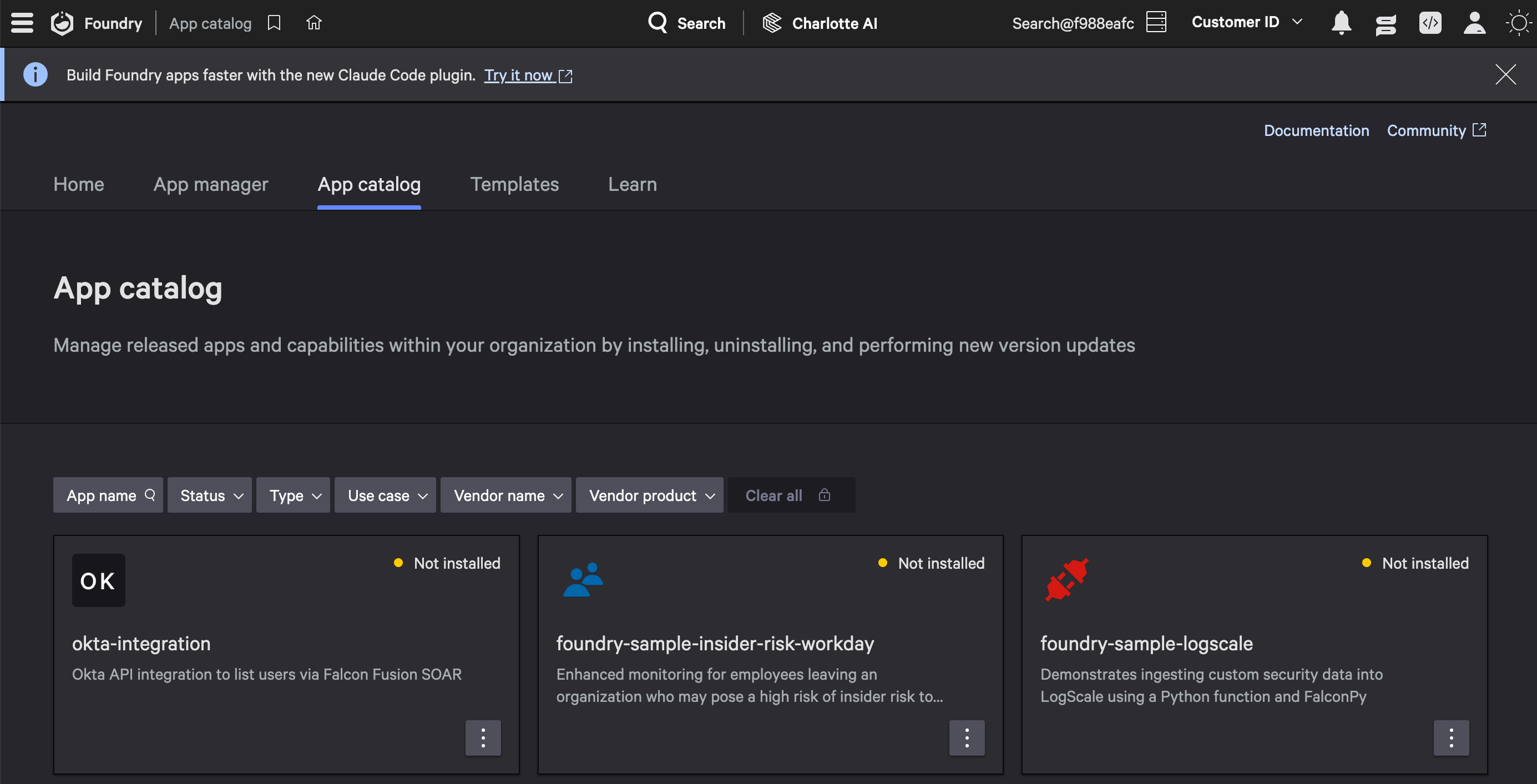
The deployed app in the Falcon console, ready to install.
After installing, you can execute the app’s workflow. Coincidentally, Claude chose to put the UI extension in the workflows.executions.execution.details socket. You can see both the workflow execution results and the UI extension in the screenshot below.
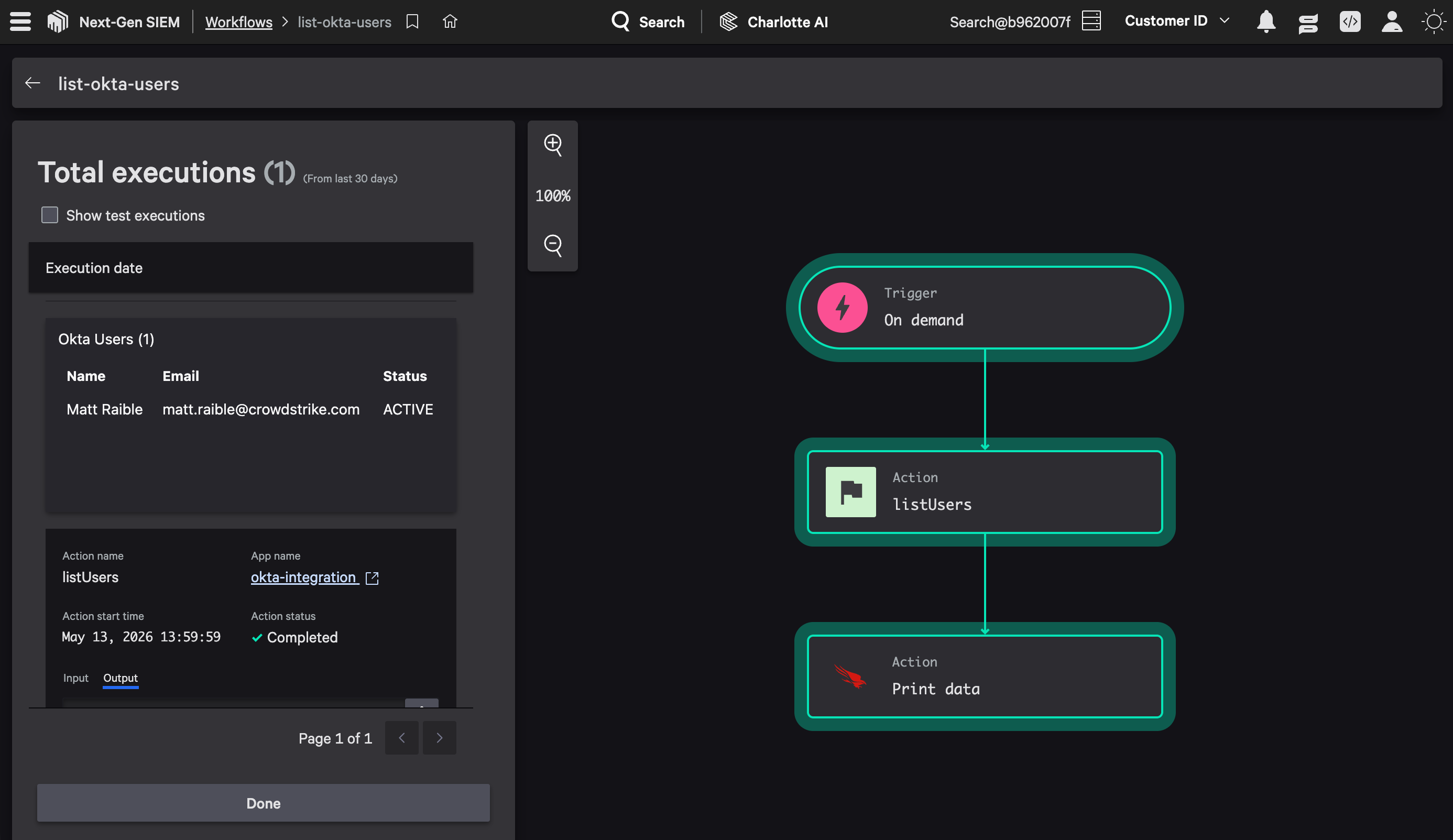
The workflow execution results with the UI extension displaying Okta users.
The whole process, from a single prompt to a deployed Falcon Foundry app, takes about 5-10 minutes.
Real-World Falcon Foundry Patterns
The repo includes a use-cases/ directory with patterns distilled from Tech Hub posts. These cover common scenarios: API pagination strategies, detection enrichment with UI extensions, Falcon LogScale data ingestion from functions, lookup table enrichment with third-party data, custom SOAR actions, and publishing certified apps.
When your prompt describes something similar, Claude pulls from these patterns instead of guessing.
Contribute to the Falcon Foundry Skills
The skills get better every time someone captures what Claude figured out during a session. If Claude struggles with a pattern, retries a command, or produces incorrect output, that friction is a skill improvement waiting to happen.
After building an app, ask Claude what it learned:
What did you learn from this session that could improve the Foundry skills? Clone https://github.com/CrowdStrike/foundry-skills, create a branch, update the skills with what you learned, and create a PR on GitHub.
Claude handles the branch, edits, and PR. Even when it struggles during the build, it usually figures out the right approach eventually. This step captures that knowledge so the next version of the skills is smarter and burns fewer tokens.
For contributors who want to validate changes before opening a PR, the repo includes test-hooks.sh for hook unit tests, test-skill.sh for end-to-end runs of the example prompt, and run-ab-test.sh to compare your branch against main. To use your improved skills immediately, run claude --plugin-dir /path/to/foundry-skills from any directory.
Start Building
Falcon Foundry skills are open source and improve with community use. Install the plugin from the Anthropic marketplace, browse the source on GitHub, and join the Foundry Developer Community to share what you build. We’d love to hear your stories!